Ошибка «/usr/bin/python: нет модуля с именем virtualenvwrapper» при открытии терминала
Я использую Ubuntu 20.04 (чистая установка, я не обновлял предыдущую), и когда я открываю новый терминал (просто Ctrl+Alt+T), он всегда начинается с вывода, показанного ниже (также показано на следующем снимке экрана):
      /usr/bin/python: No module named virtualenvwrapper
virtualenvwrapper.sh: There was a problem running the initialization hooks.

If Python could not import the module virtualenvwrapper.hook_loader,
check that virtualenvwrapper has been installed for
VIRTUALENVWRAPPER_PYTHON=/usr/bin/python and that PATH is
set properly.
/usr/bin/python: No module named virtualenvwrapper
virtualenvwrapper.sh: There was a problem running the initialization hooks.

If Python could not import the module virtualenvwrapper.hook_loader,
check that virtualenvwrapper has been installed for
VIRTUALENVWRAPPER_PYTHON=/usr/bin/python and that PATH is
set properly.
daniel@daniel-Inspiron-5482:~$
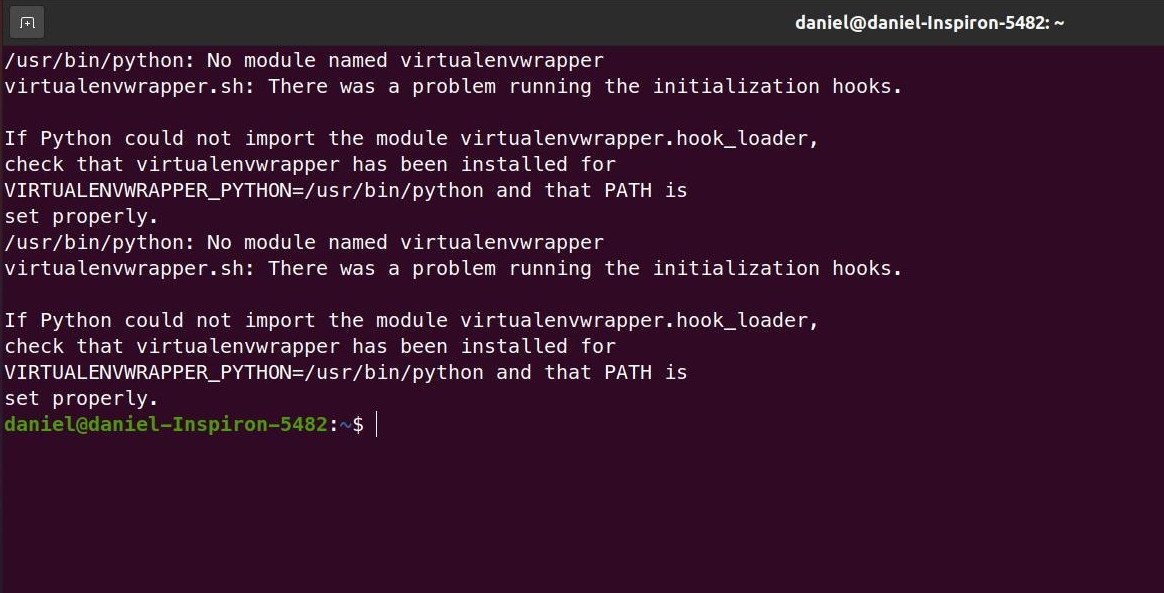
Конечно, я уже пытался выполнить сброс и перезагрузку.
В прошлом у меня была проблема с этими путями, поэтому команды, которые я выполнил для исправления пути, были:
      export VIRTUALENVWRAPPER_PYTHON=/usr/bin/python3
export VIRTUALENVWRAPPER_VIRTUALENV=/usr/local/bin/virtualenv
Вот мой
~/.bashrc:
      # ~/.bashrc: executed by bash(1) for non-login shells.
# see /usr/share/doc/bash/examples/startup-files (in the package bash-doc)
# for examples

# If not running interactively, don't do anything
case $- in
    *i*) ;;
      *) return;;
esac

# don't put duplicate lines or lines starting with space in the history.
# See bash(1) for more options
HISTCONTROL=ignoreboth

# append to the history file, don't overwrite it
shopt -s histappend

# for setting history length see HISTSIZE and HISTFILESIZE in bash(1)
HISTSIZE=1000
HISTFILESIZE=2000

# check the window size after each command and, if necessary,
# update the values of LINES and COLUMNS.
shopt -s checkwinsize

# If set, the pattern "**" used in a pathname expansion context will
# match all files and zero or more directories and subdirectories.
#shopt -s globstar

# make less more friendly for non-text input files, see lesspipe(1)
[ -x /usr/bin/lesspipe ] && eval "$(SHELL=/bin/sh lesspipe)"

# set variable identifying the chroot you work in (used in the prompt below)
if [ -z "${debian_chroot:-}" ] && [ -r /etc/debian_chroot ]; then
    debian_chroot=$(cat /etc/debian_chroot)
fi

# set a fancy prompt (non-color, unless we know we "want" color)
case "$TERM" in
    xterm-color|*-256color) color_prompt=yes;;
esac

# uncomment for a colored prompt, if the terminal has the capability; turned
# off by default to not distract the user: the focus in a terminal window
# should be on the output of commands, not on the prompt
#force_color_prompt=yes

if [ -n "$force_color_prompt" ]; then
    if [ -x /usr/bin/tput ] && tput setaf 1 >&/dev/null; then
    # We have color support; assume it's compliant with Ecma-48
    # (ISO/IEC-6429). (Lack of such support is extremely rare, and such
    # a case would tend to support setf rather than setaf.)
    color_prompt=yes
    else
    color_prompt=
    fi
fi

if [ "$color_prompt" = yes ]; then
    PS1='${debian_chroot:+($debian_chroot)}\[\033[01;32m\]\u@\h\[\033[00m\]:\[\033[01;34m\]\w\[\033[00m\]\$ '
else
    PS1='${debian_chroot:+($debian_chroot)}\u@\h:\w\$ '
fi
unset color_prompt force_color_prompt

# If this is an xterm set the title to user@host:dir
case "$TERM" in
xterm*|rxvt*)
    PS1="\[\e]0;${debian_chroot:+($debian_chroot)}\u@\h: \w\a\]$PS1"
    ;;
*)
    ;;
esac

# enable color support of ls and also add handy aliases
if [ -x /usr/bin/dircolors ]; then
    test -r ~/.dircolors && eval "$(dircolors -b ~/.dircolors)" || eval "$(dircolors -b)"
    alias ls='ls --color=auto'
    #alias dir='dir --color=auto'
    #alias vdir='vdir --color=auto'

    alias grep='grep --color=auto'
    alias fgrep='fgrep --color=auto'
    alias egrep='egrep --color=auto'
fi

# colored GCC warnings and errors
#export GCC_COLORS='error=01;31:warning=01;35:note=01;36:caret=01;32:locus=01:quote=01'

# some more ls aliases
alias ll='ls -alF'
alias la='ls -A'
alias l='ls -CF'

# Add an "alert" alias for long running commands.  Use like so:
#   sleep 10; alert
alias alert='notify-send --urgency=low -i "$([ $? = 0 ] && echo terminal || echo error)" "$(history|tail -n1|sed -e '\''s/^\s*[0-9]\+\s*//;s/[;&|]\s*alert$//'\'')"'

# Alias definitions.
# You may want to put all your additions into a separate file like
# ~/.bash_aliases, instead of adding them here directly.
# See /usr/share/doc/bash-doc/examples in the bash-doc package.

if [ -f ~/.bash_aliases ]; then
    . ~/.bash_aliases
fi

# enable programmable completion features (you don't need to enable
# this, if it's already enabled in /etc/bash.bashrc and /etc/profile
# sources /etc/bash.bashrc).
if ! shopt -oq posix; then
  if [ -f /usr/share/bash-completion/bash_completion ]; then
    . /usr/share/bash-completion/bash_completion
  elif [ -f /etc/bash_completion ]; then
    . /etc/bash_completion
  fi
fi
# Virtual Environment Wrapper
source /usr/local/bin/virtualenvwrapper.sh
# Virtual Environment Wrapper
source /usr/local/bin/virtualenvwrapper.sh

# >>> conda initialize >>>
# !! Contents within this block are managed by 'conda init' !!
__conda_setup="$('/home/daniel/anaconda3/bin/conda' 'shell.bash' 'hook' 2> /dev/null)"
if [ $? -eq 0 ]; then
    eval "$__conda_setup"
else
    if [ -f "/home/daniel/anaconda3/etc/profile.d/conda.sh" ]; then
        . "/home/daniel/anaconda3/etc/profile.d/conda.sh"
    else
        export PATH="/home/daniel/anaconda3/bin:$PATH"
    fi
fi
unset __conda_setup
# <<< conda initialize <<<
Я также установил пакеты
virtualenvа также
virtualenvwrapperи обновляется с помощью
sudo apt, но проблема все равно нарастает.
В чем проблема с моим терминалом на самом деле?
1 ответ
Проблема с этой записью в вашем файле:
      # Virtual Environment Wrapper
source /usr/local/bin/virtualenvwrapper.sh
# Virtual Environment Wrapper
source /usr/local/bin/virtualenvwrapper.sh
Это дублирующаяся запись. Вам нужен только один, поэтому просто удалите другой.
Убедитесь, что путь к
virtualenvwrapper.shявляется правильным, выполнив следующую команду и заменив/usr/local/bin/virtualenvwrapper.shс выводом команды:which virtualenvwrapper.shЕсли путь уже правильный, то отлично! Просто пропустите этот шаг.
Вам нужно добавить эти команды (которые вы также упоминаете в своем вопросе) прямо перед
source /usr/local/bin/virtualenvwrapper.shв твоей~/.bashrc:export VIRTUALENVWRAPPER_PYTHON=/usr/bin/python3 export VIRTUALENVWRAPPER_VIRTUALENV=/usr/local/bin/virtualenvОпять же, вы должны убедиться, что пути указаны правильно.
После выполнения вышеперечисленного перезагрузите терминал или запустите:
source ~/.bashrc
Теперь ваш терминал должен запуститься правильно, без текста ошибки и
virtualenvwrapperдолжно работать как положено!